⏱ Estimated time: 5 minutes · Works with Thunderbird 115+ on Windows, Mac, and Linux
Before You Start
Mozilla Thunderbird stores signatures per email account in Account Settings. You can use HTML signatures by enabling HTML mode or pasting rendered content. Have your SigCraft signature ready before opening Thunderbird.
Step 1: Create Your Signature with SigCraft
Go to the SigCraft signature builder and build your signature. SigCraft generates table-based HTML with inline styles that Thunderbird renders correctly.
Step 2: Copy the Signature HTML
Click "Copy HTML" in the SigCraft builder. For best results, you can also render the HTML in a browser and copy the visual output.
Step 3: Open Thunderbird Account Settings
- Open Mozilla Thunderbird.
- Go to Settings (Thunderbird menu > Settings, or Account Settings on older versions).
- Select your email account in the left sidebar.
- Find the Signature text field.
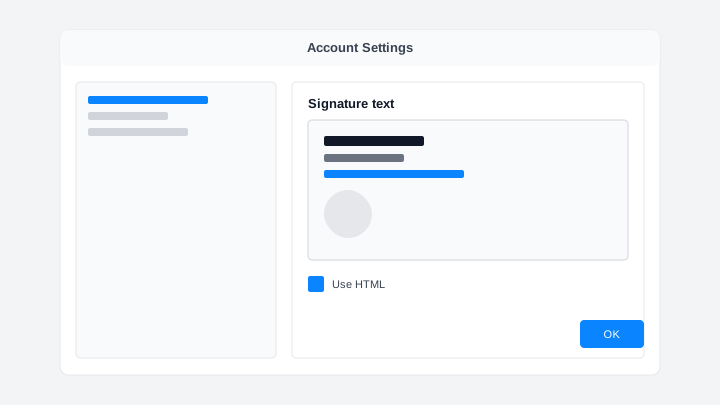
Step 4: Paste Your Signature
- Enable "Use HTML" if the checkbox is available for your Thunderbird version.
- Paste your signature into the Signature text field.
- Click OK or close Settings to save.
⚠ Tip: If you see HTML tags instead of formatting, paste rendered content from a browser rather than raw HTML source.
Step 5: Compose and Verify
- Click Write to compose a new message.
- Confirm your signature appears at the bottom of the compose window.
- Send a test email to yourself to verify rendering on the receiving end.
Troubleshooting
Signature shows HTML tags instead of formatting
Enable "Use HTML" in Account Settings or paste rendered content from a browser instead of raw HTML source code.
Signature not appended to new messages
Confirm the signature is saved for the correct account. Check Composition settings for "Automatically quote the original message when replying" — it does not affect signatures but can confuse testing.
Images blocked locally
Thunderbird blocks remote content by default. Click "Show remote content" in a received test email, or adjust privacy settings for trusted senders.
Formatting differs from SigCraft preview
Thunderbird uses Gecko rendering which is closer to browsers than Outlook. Minor spacing differences are normal; table layouts from SigCraft minimize breakage.
Frequently Asked Questions
Does Thunderbird support HTML signatures?
Yes. Enable HTML in the signature settings (or paste rendered HTML). SigCraft signatures use inline styles and tables that Thunderbird renders correctly.
Can I use different signatures per account?
Yes. Each Thunderbird email account has its own Signature text field in Account Settings. Configure them independently.
Why use SigCraft instead of Thunderbird's built-in editor?
Thunderbird's editor is basic and produces inconsistent HTML. SigCraft generates tested, table-based signatures with social icons, avatars, and brand colors.
Will remote images load in Thunderbird?
Thunderbird may block remote images by default for privacy. Recipients can allow images per sender. SigCraft icons and avatars use standard hosted URLs.